

Artikelnummer: 1018
Mini Magnet Timer MAG2 | Digital magnetic timer for training
Mini Magnet Timer MAG2 | Digital magnetic timer for training
- 🧲 Compact and magnetic
- 🔋 Battery-powered for mobile training
- 📟 Digital display
Couldn't load pickup availability
Your compact workout companion
The KondiMaster Mini-Magnettimer MAG 2 is a compact, versatile training timer for HIIT, functional fitness, cross-training, boxing training, and many other workouts.
With various timer functions, freely adjustable intervals, and preset training programs such as Tabata and Fight Gone Bad, the timer can be flexibly used for different forms of training.
Thanks to the integrated rechargeable battery and the strong magnets on the back, the timer can be used flexibly and easily attached to suitable metal surfaces.
Main functions
Intervals & Programs
- Pace Clock: counts continuously upwards from 00:00 – Display: 00:00
- Countdown: individually adjustable time down to 00:00 – Display: dn 99:59
- Count-up timer: counts from 00:00 to the set target time – Display: UP 00:00
- Interval timer: workout time, break time, and number of rounds can be set freely – Display: In 00:00
- Tabata: 8 rounds, 20 sec. workout / 10 sec. break – Display: F1 00:20
- Fight Gone Bad (FGB): 3 rounds, 5 min. workout each / 1 min. break – Display: F2 17:00
- EMOM: repeated countdown with adjustable time and number of rounds – Display: rP 00:00
- Stopwatch: measurement up to 99:59.99 – Start display: 0:00
Freely adjustable interval timer
In the interval program, the most important training parameters can be set individually:
- Number of rounds
- Workout time
- Break time
During training, acoustic signals support the transition between workout and break.
This makes the Mini-Magnettimer MAG 2 suitable for, for example:
- Interval training
- HIIT
- Circuit training
- Functional fitness
- Boxing and martial arts training
- Strength and endurance training
10-second countdown
Optionally, a 10-second countdown (lead-in) can be activated.
After starting, this leaves 10 seconds to prepare for the exercise or the start of training.
The lead-in can be switched on or off by double-clicking the minus button.
Display & brightness
The timer has a large 6-digit LED display with a digit height of approx. 3.8 cm.
The brightness can be adjusted in 5 levels.
A lower brightness level can extend the battery life.
Simple 3-button operation
Operation is performed directly via the three buttons on the front:
- Plus button (+): Start / Pause
- MODE button: Switch between functions and settings
- Minus button (–): Setting the display brightness
Additional functions
- Hold the plus button (+) for approx. 3 seconds: Switch the device on or off
- Double-press the plus button (+): Reset timer
- Hold the MODE button for approx. 3 seconds: Open settings mode
- Double-press the minus button (–): Activate or deactivate 10-second lead-in
Magnetic attachment
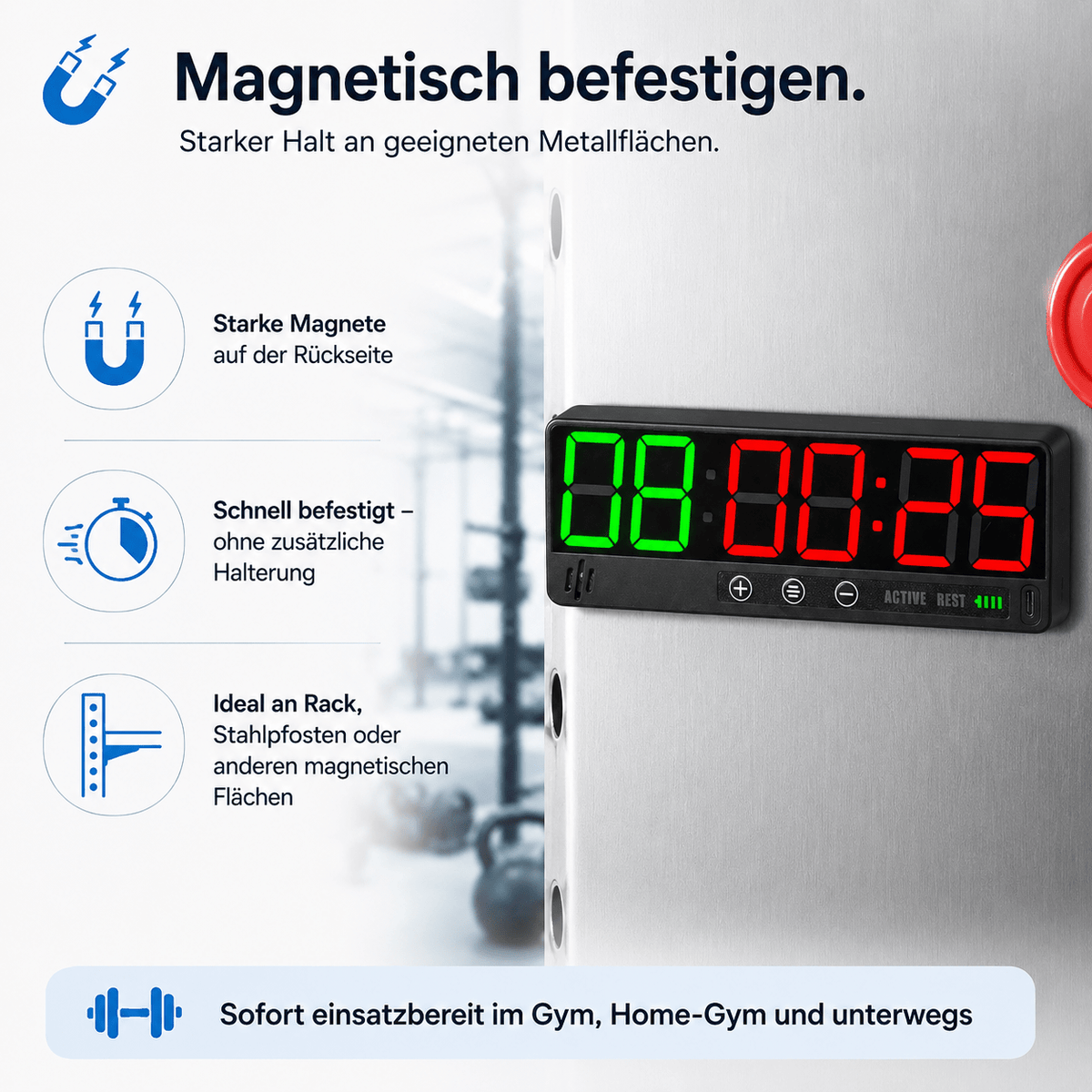
There are strong magnets on the back.
This allows the timer to be attached quickly and without additional mounting to suitable metallic surfaces – for example, training equipment, steel structures, or other magnetic surfaces.
Integrated battery
The Mini-Magnettimer MAG 2 has an integrated rechargeable 2,200 mAh lithium battery.
- Battery life: approx. 10–20 hours
- Charging time: approx. 3 hours
- Charging via USB-C
- Power supply: 5 V / 1 A
- Charging via, for example, USB power adapter, computer, or power bank
The current charge status is shown via the battery indicator on the display.
When the battery is low, the battery indicator starts to flash.
Automatic switch-off
If no timer is running and the device is not used for about 30 minutes, it switches off automatically.
Technical specifications
- Dimensions: approx. 190 × 20 × 63 mm
- Weight: approx. 200 g
- Display: 6-digit LED display
- Digit height: approx. 1.5 inches / 3.8 cm
- Brightness: 5 levels
- Material: ABS housing with acrylic display cover
- Battery: integrated 2,200 mAh lithium battery
- Power supply: 5 V / 1 A via USB-C
- Battery life: approx. 10–20 hours
- Charging time: approx. 3 hours
- Attachment: magnets on the back
- Operating temperature: -10 °C to +50 °C
Scope of delivery
- 1x KondiMaster Mini-Magnettimer MAG 2
- 1x USB-C charging cable
- 1x User manual
Note: A USB power adapter is not included.
Perfect for training at home, at the gym, or on the go
Thanks to its compact design, integrated battery, and magnetic attachment, the KondiMaster Mini-Magnettimer MAG 2 can be used flexibly.
Whether Tabata, EMOM, Fight Gone Bad, individual interval training, or simple time measurement – the most important timer functions are available directly on the device and without an additional app.
Operating the individual timer functions
Use the MODE button to switch between the different timer functions. The plus button (+) is used to start and stop. A quick double-click on the plus button resets the respective timer.
Note: If the 10-second lead-in is activated, a 10-second countdown begins first after starting. This lead-in can be switched on or off by double-clicking the minus button (–).
Pace Clock – 00:00
The Pace Clock counts continuously upwards from 00:00.
- Press the MODE button until 00:00 is displayed.
- Press the plus button (+) to start the Pace Clock.
- Press the plus button (+) again to stop it.
- Quickly double-press the plus button (+) to reset back to 00:00.
With the Pace Clock, no time needs to be set.
Countdown – dn 99:59
The countdown counts down from a freely set time to 00:00.
- Press the MODE button until dn99:59 is displayed.
- Hold the MODE button for approx. 3 seconds. The first digit starts flashing.
- Use plus (+) or minus (–) to set the value of the flashing digit.
- Press MODE briefly to switch to the next digit.
- Set the desired minute and second time in this way.
- Hold the MODE button for approx. 3 seconds to save the setting.
- Press the plus button (+) to start the countdown.
Count-up Timer – UP 00:00
The count-up timer counts up from 00:00 to a freely set target time.
- Press the MODE button until UP00:00 is displayed.
- Hold the MODE button for approx. 3 seconds. The first digit starts flashing.
- Use plus (+) or minus (–) to set the value of the flashing digit.
- Press MODE briefly to switch to the next digit.
- Set the desired target time completely.
- Hold the MODE button for approx. 3 seconds to save the setting.
- Press the plus button (+) to start the count-up timer.
Interval Timer – In 00:00
With the interval timer, the number of rounds, workout time, and break time can be freely set.
- Press the MODE button until In 00:00 is displayed.
- Hold the MODE button for approx. 3 seconds. The number of rounds starts flashing.
- Set the number of rounds with plus (+) or minus (–). Use MODE to switch to the next digit.
- Hold the MODE button again for approx. 3 seconds. Now the workout time H1 is set.
- Set the workout time with plus (+) and minus (–). Use MODE to switch between the individual digits.
- Hold the MODE button a third time for approx. 3 seconds. Now the break time H2 is set.
- Set the break time with plus (+) and minus (–). Use MODE to switch between the digits.
- Hold the MODE button a fourth time for approx. 3 seconds to save all settings and exit the setting mode.
- Press the plus button (+) to start the interval training.
During the run, the two left digits show the round and the four right digits show the current workout or break time.
Tabata – F1 00:20
The Tabata program is already firmly preset:
- 8 rounds
- 20 seconds workout
- 10 seconds break
- Press the MODE button until F1 00:20 is displayed.
- Press the plus button (+) to start Tabata.
- Press the plus button (+) again to stop the program.
- Quickly double-press the plus button (+) to reset the program.
The times for this program are fixed and do not need to be set.
Fight Gone Bad – F2 17:00
Fight Gone Bad is firmly preset:
- 3 workout rounds
- 5 minutes workout each
- 1 minute break between rounds
- Press the MODE button until F2 17:00 is displayed.
- Press the plus button (+) to start the program.
- Press the plus button (+) again to stop the program.
- Quickly double-press the plus button (+) to reset the program.
EMOM – rP 00:00
With the EMOM timer, the number of rounds and countdown time can be set individually.
- Press the MODE button until rP 00:00 is displayed.
- Hold the MODE button for approx. 3 seconds. The number of rounds starts flashing.
- Set the number of rounds with plus (+) or minus (–). Use MODE to switch to the next digit.
- If the number of rounds is set to 00, the countdown runs continuously until it is manually stopped.
- Hold the MODE button again for approx. 3 seconds to set the countdown time.
- Set the time with plus (+) and minus (–). Use MODE to switch between the individual digits.
- Hold the MODE button for approx. 3 seconds to save the settings.
- Press the plus button (+) to start the EMOM timer.
Stopwatch – 0:00
The stopwatch measures time up to 99 minutes, 59 seconds, and 99 hundredths of a second.
- Press the MODE button until the stopwatch is displayed.
- Press the plus button (+) to start the time measurement.
- Press the plus button (+) again to stop the time measurement.
- Quickly double-press the plus button (+) to reset the stopwatch.
Return guarantee and conditions
Return guarantee and conditions
You can return products that you purchase from us to us within 14 days of receiving the goods, provided that the goods are complete and in the same condition as when received. The goods must be returned to [Stefan Burger Technik, Bahnhofstrasse 2, 92364 Deining, Germany]. If you return goods in accordance with this voluntary return guarantee, we will refund the purchase price. We do not refund the shipping costs of your original purchase. In any case, you bear the transport risk when returning the goods. This return guarantee does not limit your statutory rights and therefore also does not limit your right of withdrawal.
Shipment
Shipment
Shipping costs will be displayed at the beginning of the ordering process.
Delivery time
The delivery time for packages is usually 2 to 3 working days from receipt of payment.
The delivery time for shipping bags (BÜ/WA shipment) is usually 4 to 5 working days from receipt of payment.
Delivery time information
The exact delivery time for your order will be displayed in the shopping cart when you order online and will be communicated personally by our staff when you order by phone. If you have provided us with your email address when you placed your order, we will also send you an order confirmation in which you will receive confirmation of the delivery time again. We will also use your email address to provide you with other useful information relating to your order, such as delivery and return confirmations or free payment reminders.
Delays
If some items are not available at short notice or the promised delivery time is delayed, we will inform you by email.
Shipment splitting
If the waiting time is too long, we will automatically split the shipment, which means that you will receive the items that are available for delivery and the delayed items will follow in a separate package. If we have your email address, we will send you a delivery confirmation informing you that your order has been sent in several packages.
Logistics partner
We will package the ordered items as quickly as possible and hand them over to our logistics partner ready for dispatch. Please note that we have no influence on delays caused by our logistics partner.
Shipment tracking
Using your parcel identification number/shipment number, you can find out the current shipment status of your parcel at any time if the shipping method does not provide for parcel tracking. You will receive further information on shipment tracking in your delivery confirmation by email or from our customer service over the phone.